From the team at Goodwill London

Patient records, private prescriptions and your pharmacy queue, in one place.

Book the appointment, write up the consultation, get the prescription approved and dispense it, without retyping anything. Built for UK clinics, independent prescribers and pharmacies.

No sign-up for the demo. It uses made-up patients.

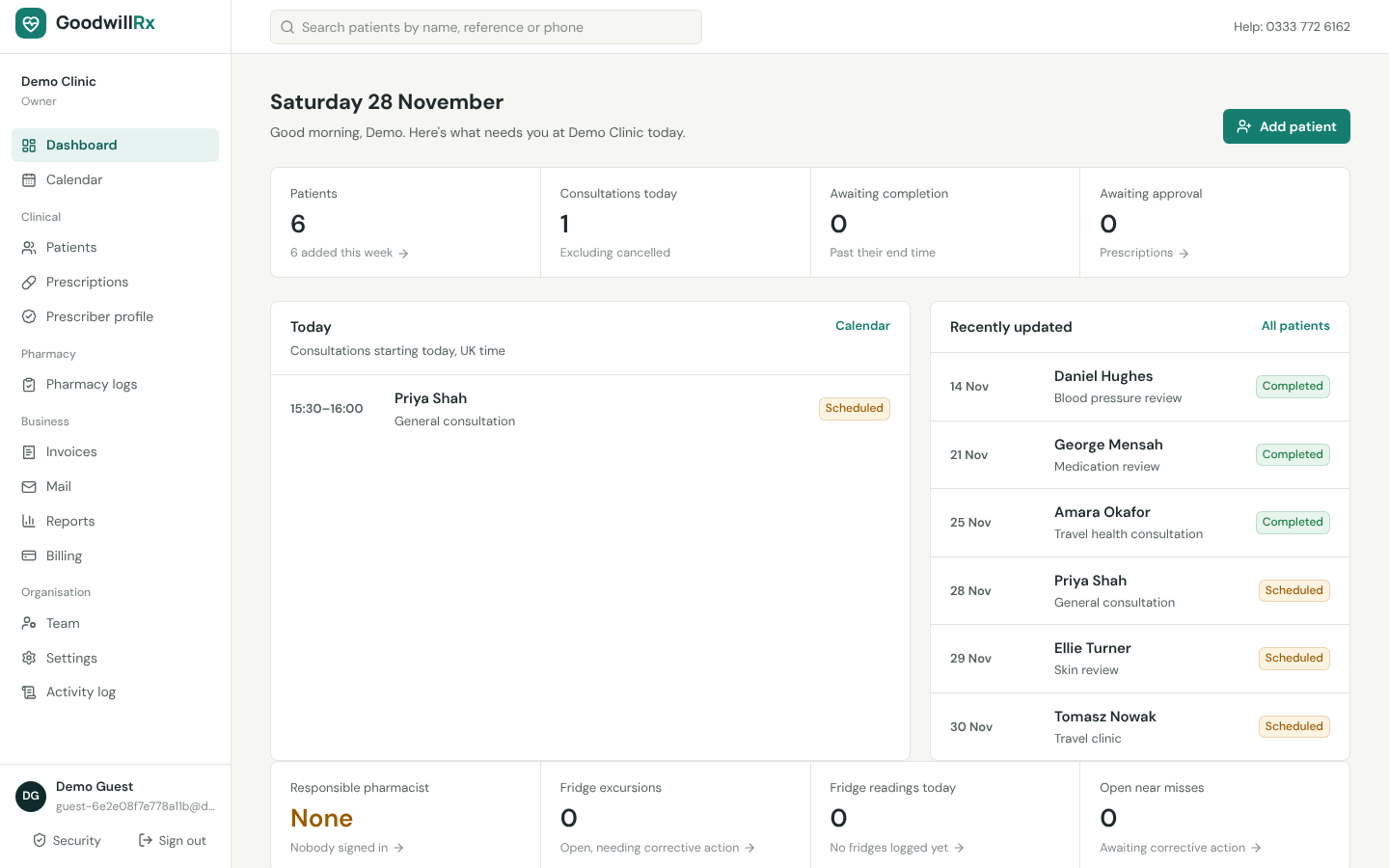
The GoodwillRx dashboard showing today's consultations and the pharmacy queue
The clinic dashboard, with example data.

Dispense a prescription

Find a prescription using its ID and the patient's date of birth.

View prescription
65,590
medicines from the NHS dm+d list
UK
where patient data is stored
2 steps
password and authenticator code on every account
£25
a month for a single clinician, before VAT

Who uses it

One workspace, set up differently for each kind of team. Everyone gets their own login.

Doctor talking with a patient on a laptop in a clinic

Clinics

Front desk, clinicians and the pharmacy share one record, with roles so each person sees what their job needs.

  • Appointments with email reminders
  • Consultation notes, typed or drafted by the AI scribe
  • Invoices, vaccinations and medication reviews
Register a clinic
Senior doctor discussing treatment with a patient on screen

Independent prescribers

We check your registration before you can approve anything. After that, each approval takes your 6-digit PIN.

  • Search 65,590 NHS dm+d medicines
  • A link to the BNF entry beside every medicine
  • Any change after approval comes back to you
Register as a prescriber
Pharmacist checking a labelled medicine bottle

Pharmacies

Approved prescriptions land in a queue, oldest first. Mark them received, on hold or ready, then dispense.

  • Fridge temperatures, near misses and the RP log
  • Controlled drugs register with running balances
  • Another pharmacy can dispense with the code and date of birth
Dispense a prescription

How a prescription moves

The same record follows it from the consultation room to the counter, so nobody copies details from one screen to another.

  1. Step 1

    Write

    A clinician picks the medicines from the NHS list and adds directions and quantities.

  2. Step 2

    Approve

    A verified prescriber reviews it and approves with their own PIN. The approved version is locked.

  3. Step 3

    Queue

    It appears in the pharmacy queue. Staff mark it received, on hold, awaiting stock or ready.

  4. Step 4

    Dispense

    The pharmacy records who supplied it and when. Elsewhere in the UK, a pharmacy can look it up with its code.

Pricing

Monthly, per organisation, before VAT. Cancel at the end of any month.

Compare plans

Clinician

£25 a month

1 clinician and 1 support account

Prescriber

£39 a month

1 prescriber and 1 support account

Clinic

£99 a month

3 practitioners and 2 support accounts

Questions people ask us

Something else? Call 0333 772 6162 or email admin@goodwillrx.co.uk.

Is GoodwillRx connected to NHS EPS?
No. It's for private prescriptions. NHS prescriptions still go through your NHS system.
Where is patient data kept?
On servers in the UK. Every account needs a password and an authenticator code, and every change is logged with who made it.
Can I try it before paying?
Yes. The demo opens a private workspace with made-up patients, no sign-up needed. It's deleted after 24 hours.
How long does approval take?
We check each new organisation by hand, usually within one working day. Call us on 0333 772 6162 if it's urgent.